AI agents are becoming one of the most interesting areas in modern AI development. Instead of calling a language model directly, an AI agent can reason, use tools, maintain memory, and perform tasks autonomously.
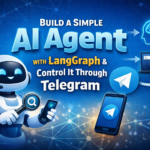
In this article, we will build a simple AI agent using LangGraph and control it directly through Telegram. This setup allows you to interact with your AI agent from your phone or desktop without building a separate frontend.
The goal of this project is to create a minimal but practical AI agent that:
- Uses LangGraph for agent workflow
- Supports tool calling (internet search)
- Maintains conversation memory
- Can be controlled through Telegram
- Runs on a local machine or cloud server
By the end of this guide, you will have a working AI agent that you can chat with directly from Telegram.
Architecture Overview
Before diving into the implementation, let’s understand the overall workflow.
The architecture is intentionally simple.
User → Telegram Bot → LangGraph Agent → LLM → Tool (Search) → Response → Telegram Bot → User
Workflow
- The user sends a message to the Telegram bot
- The bot forwards the message to the LangGraph agent
- The agent processes the request using the LLM
- If necessary, the agent calls a search tool
- The response is returned to the Telegram bot
- The bot sends the reply back to the user
This approach removes the need for a web interface because Telegram acts as the UI for the agent.
Prerequisites
Before starting, ensure you have the following:
- Python 3.10+
- A Telegram Bot Token (from BotFather)
- A Serper API Key for web search
- A running LLM endpoint (OpenAI compatible or local model)
You can run this on:
- Local machine
- Linode / VPS
- Home server
Install Required Dependencies
Create a new Python environment and install the required packages.
pip install langgraph
pip install langchain
pip install langchain-openai
pip install langchain-community
pip install langchain-core
pip install python-dotenv
pip install pyTelegramBotAPI
pip install aiosqlite
These libraries provide:
| Library | Purpose |
|---|---|
| LangGraph | Agent workflow orchestration |
| LangChain | Tool and LLM integrations |
| dotenv | Environment variables |
| pyTelegramBotAPI | Telegram bot integration |
| aiosqlite | Persistent agent memory |
Project Structure
The project structure is intentionally simple.
telegram-langgraph-agent
│
├── agent.py
├── main.py
├── .env
└── requirements.txt
Step 1: Create the LangGraph Agent
The LangGraph agent is the core of the project.
It handles:
- Conversation state
- Tool usage
- LLM reasoning
- Memory persistence
Create a file named:
agent.py
Agent Implementation
from dotenv import load_dotenv
from langgraph.graph import StateGraph, START, END
from langgraph.graph.message import add_messages
from langgraph.prebuilt import ToolNode, tools_condition
from langchain_openai import ChatOpenAI
from langchain_community.utilities import GoogleSerperAPIWrapper
from langchain_core.tools import Tool
from langchain_core.messages import HumanMessage, AIMessage
from langgraph.checkpoint.sqlite import SqliteSaver
from typing import Annotated
from pydantic import BaseModel, Field

MAX_SEARCH_ATTEMPTS = 5

class State(BaseModel):
    messages: Annotated[list, add_messages]
    search_attempts: int = Field(default=0)

class Agent:
    def __init__(self):
        load_dotenv(override=True)
        self.graph = self.build_graph()

    def tool_guard_node(self, state: State):
        last = state.messages[-1]
        tool_calls = getattr(last, "tool_calls", None) or []

        if not tool_calls:
            return {}

        wants_search = any(tc.get("name") == "search" for tc in tool_calls)

        if wants_search and state.search_attempts >= MAX_SEARCH_ATTEMPTS:
            msg = AIMessage(content="Unable to find the answer within allowed search attempts.")
            return {"messages": [msg]}

        if wants_search:
            return {"search_attempts": state.search_attempts + 1}

        return {}

    def setup_search_tool(self):
        serper = GoogleSerperAPIWrapper()

        tool_search = Tool(
            name="search",
            func=serper.run,
            description="Useful when you need information from the internet"
        )

        return tool_search

    def build_graph(self):
        tool_search = self.setup_search_tool()
        tools = [tool_search]

        llm = ChatOpenAI(
            model="kimi-k2.5:cloud",
            base_url="http://127.0.0.1:11434/v1",
            api_key="12345"
        )

        llm_with_tools = llm.bind_tools(tools)

        def chatbot_node(state: State):
            response = llm_with_tools.invoke(state.messages)
            return {"messages": [response]}

        graph_builder = StateGraph(State)

        graph_builder.add_node("chatbot", chatbot_node)
        graph_builder.add_node("tool_guard", self.tool_guard_node)
        graph_builder.add_node("tools", ToolNode(tools=tools))

        graph_builder.add_edge(START, "chatbot")
        graph_builder.add_conditional_edges("chatbot", tools_condition, ["tools", END])
        graph_builder.add_edge("tools", "chatbot")

        self._checkpointer_cm = SqliteSaver.from_conn_string("langgraph_memory.sqlite")
        self.checkpointer = self._checkpointer_cm.__enter__()

        return graph_builder.compile(checkpointer=self.checkpointer)

    def close(self):
        if getattr(self, "_checkpointer_cm", None):
            self._checkpointer_cm.__exit__(None, None, None)

    def chat(self, user_input: str):
        config = {"configurable": {"thread_id": "telegram-thread-1"}}

        initial_state = State(messages=[HumanMessage(content=user_input)])

        result = self.graph.invoke(initial_state, config=config)

        return result["messages"][-1].content
What This Agent Does
This agent:
- Maintains conversation memory
- Calls an internet search tool when needed
- Limits repeated search attempts
- Uses SQLite for persistent memory
LangGraph allows you to design the agent as a state machine, which makes it easier to extend later.
Step 2: Create the Telegram Bot
Next, we connect the AI agent to Telegram.
Create the file:
main.py
Telegram Bot Implementation
import telebot
from agent import Agent

API_TOKEN = "YOUR_TELEGRAM_BOT_TOKEN"

bot = telebot.TeleBot(API_TOKEN)
agent = Agent()

AUTHORIZED_USERS = [123456789]

def is_authorized(message):
    return message.from_user.id in AUTHORIZED_USERS

@bot.message_handler(commands=['start', 'help'])
def send_welcome(message):

    if not is_authorized(message):
        bot.reply_to(message, "Access Denied")
        return

    bot.reply_to(message, "AI Agent is ready.")

@bot.message_handler(func=lambda message: True)
def handle_message(message):

    if not is_authorized(message):
        return

    user_query = message.text

    bot.send_chat_action(message.chat.id, 'typing')

    try:
        response = agent.chat(user_query)

        bot.reply_to(message, response)

    except Exception as e:
        bot.reply_to(message, f"Error: {str(e)}")

print("Telegram AI agent running...")

bot.infinity_polling()
Why Telegram?
Telegram provides a simple interface for interacting with your AI agent.
Advantages:
- No frontend required
- Works on mobile and desktop
- Supports real-time messaging
- Easy bot integration
Step 3: Configure Environment Variables
Create a .env file.
SERPER_API_KEY=your_serper_key
OPENAI_API_KEY=dummy_value
The .env file allows you to store sensitive configuration values outside the source code.
Step 4: Run the AI Agent
Start the Telegram bot.
python main.py
You should see:
Telegram AI agent running...
Now open Telegram and send a message to your bot.
Example prompts:
What is LangGraph?
Search latest AI agent frameworks
Explain AI agents in simple terms
The agent will process the request and reply back through Telegram.
Possible Improvements
Once the basic version works, you can enhance it in many ways.
Multi-Agent Workflows
LangGraph allows building complex agent systems with:
- supervisor agents
- worker agents
- tool specialists
Better Memory Handling
Instead of a fixed thread ID, you can map:
Telegram User ID → Conversation Thread
This allows separate memory for each user.
Add More Tools
You can expand the agent with tools such as:
- Web scraping
- Database queries
- File analysis
- Custom APIs
Response Length Control
Since Telegram messages can become long, you may want to instruct the model to:
- Keep responses concise
- Limit output to a specific number of characters
Why LangGraph is Powerful for AI Agents
LangGraph provides several advantages over simple LLM pipelines.
Structured Agent Workflows
Instead of writing one long script, you create nodes and transitions.
Built-in Tool Execution
Agents can automatically call tools when needed.
Persistent Memory
State can be stored using SQLite or other storage systems.
Extensible Architecture
You can easily expand to:
- multi-agent systems
- decision workflows
- autonomous agents
Final Thoughts
Building a simple AI agent does not require complex infrastructure.
With just:
- LangGraph
- Telegram
- One search tool
you can build a powerful and practical AI assistant.
Telegram acts as the user interface, LangGraph manages the reasoning workflow, and the LLM provides intelligence.
This architecture is also easy to extend, making it a great starting point for building more advanced AI systems such as research assistants, automation bots, or multi-agent frameworks.
Written By

I’m an Enterprise Architect at Akamai Technologies with 15+ years of experience across mobile engineering, edge infrastructure, security, and AI systems. Having launched 45+ apps on the App Store and Play Store (iOS, Android, Flutter, React Native), I specialize in mobile SDK internals, Frida-based security, and high-concurrency edge runtimes like Akamai EdgeWorkers, Fermyon, and HarperDB. In the AI space, I focus on Agentic AI frameworks (LangGraph, MCP), WASM-based Edge AI guardrails, self-hosted LLM inference, and real-time voice pipelines.